OVERCLOCK-
A downloadable game for Windows
An explanation in English is provided at the bottom of the description.
한국어
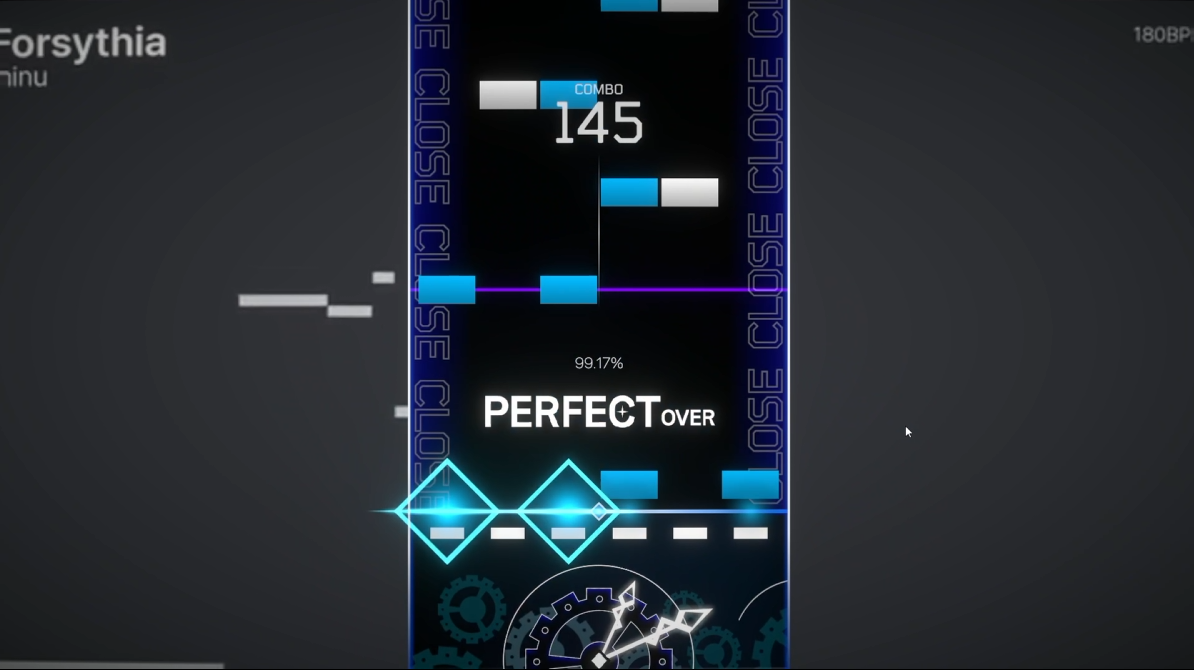
플레이 중 레인 수가 변화하는 리듬게임, OVERCLOCK입니다.
OVERCLOCK은 곡의 전개에 따라 플레이 중 레인이 2 → 4 → 6개로 변화하는 Dynamic Lane 시스템을 중심으로 제작한 리듬게임입니다.
플레이어는 고정된 레인에서 노트를 처리하는 것이 아니라, 곡의 진행에 따라 변화하는 플레이 영역에 대응해야 합니다.
현재 개발 중인 버전으로, 게임 플레이와 시스템에 대한 QA 및 피드백을 받고 있습니다.
확인해주시면 좋은 부분
특히 다음 부분에 대한 피드백을 받고 있습니다.
- 레인 변화가 직관적으로 이해되는지
- 레인 변화가 불편함보다 새로운 플레이 경험으로 느껴지는지
- Indicator를 보고 변화를 충분히 예측할 수 있는지
- 노트 판정 및 입력감에 문제가 없는지
- UI / 결과 화면에서 정보를 이해하기 쉬운지
- 플레이 중 발생하는 버그 및 이상 현상
- 전반적인 재미와 개선했으면 하는 부분
버그를 발견했다면 발생 상황 / 재현 방법 / 가능하다면 영상이나 스크린샷을 함께 남겨주시면 큰 도움이 됩니다.
현재 개발 중인 버전이므로 일부 기능과 콘텐츠는 변경될 수 있습니다.
감사합니다!
----------------
English
OVERCLOCK is a rhythm game featuring a Dynamic Lane system that changes the number of playable lanes during gameplay.
Instead of playing on a fixed set of lanes, players must adapt to changes in the play area as the song progresses.
The current build is still in development, and I am looking for QA testers and player feedback on the gameplay and core systems.
What I'd Like You to Test
I'd especially appreciate feedback on:
- Whether the lane changes are easy to understand
- Whether the lane changes feel like a new gameplay experience rather than unnecessary difficulty
- Whether the indicator gives you enough information to anticipate upcoming changes
- Note timing and input responsiveness
- UI and result screen readability
- Bugs or unexpected behavior during gameplay
- Overall enjoyment and anything you think could be improved
If you encounter a bug, please include the situation, steps to reproduce it, and screenshots or video if possible.
This is a development build, so some features and content may change in future versions.
Thank you for testing OVERCLOCK!
Download
Install instructions
Installation & Launch
1. Download the game files.
2. Extract the downloaded ZIP file.
3. Open the extracted folder and run `OVERCLOCK.exe`.
4. Follow the in-game instructions to start playing.
No additional installation or external libraries are required.
※ Windows PC is required.
※ Windows Defender or SmartScreen may display a warning when launching the game. If this occurs, verify the source of the file before running it.
---------------------------
설치 및 실행 방법
1. 게임 파일을 다운로드합니다.
2. 다운로드한 ZIP 파일의 압축을 해제합니다.
3. 압축 해제한 폴더에서 `OVERCLOCK.exe`를 실행합니다.
4. 게임을 실행한 후 안내에 따라 플레이해주세요.
별도의 설치 프로그램이나 추가 라이브러리는 필요하지 않습니다.
※ Windows PC에서 실행해주세요.
※ 게임 실행 시 Windows Defender 또는 SmartScreen 경고가 표시될 수 있습니다. 이 경우 파일의 출처를 확인한 후 실행해주세요.
Development log
- Update!16 hours ago
- Thank you for your interest in the game!2 days ago
Comments
Log in with itch.io to leave a comment.
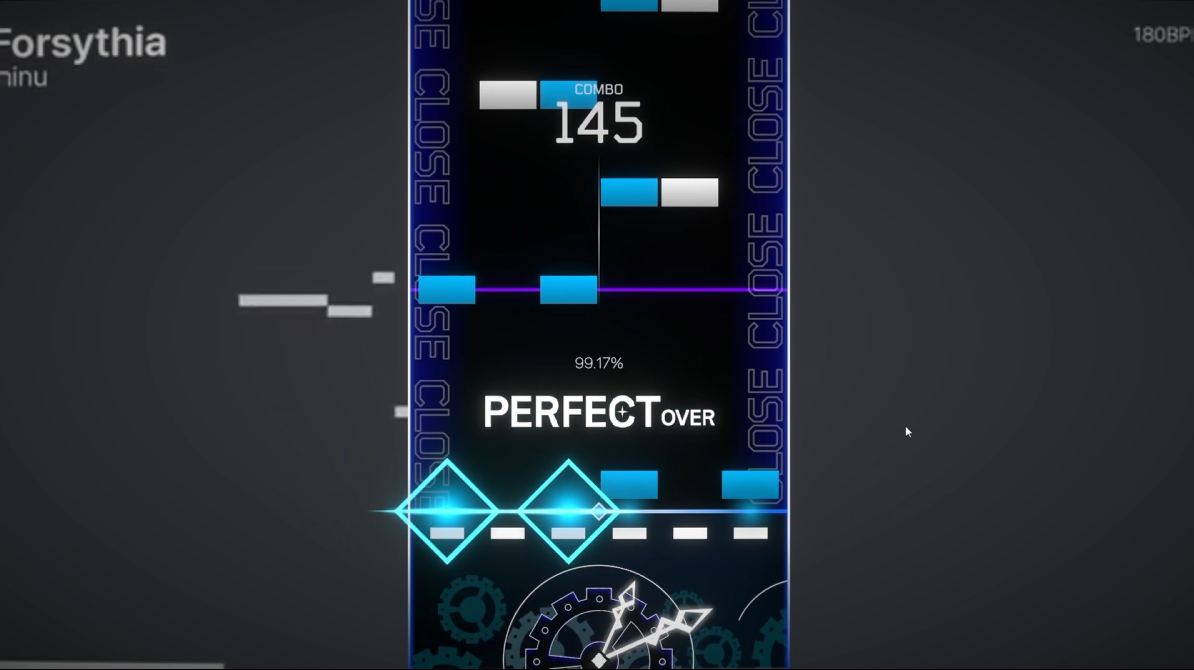
over perfect 시에도 패슬이 표시되는 게 의도된 사항인지는 모르겠지만 아닌 편이 낫다고 생각합니다. 비대칭 레인이 특색이라고 생각되네요 재밌어요
over perfect 시에도 패슬이 표시는 의도된 사항이 맞습니다!
Option에서 패슬 값을 조절 할 수 있습니다!